Hide prices until customers log in, sell only to wholesale accounts, or show some categories as “price on request”. Shelfwright hides the price and the button and blocks the purchase on the server too. Coming from YITH Catalog Mode? Import your settings in one click.
Free on WordPress.org. Works with block and classic themes.
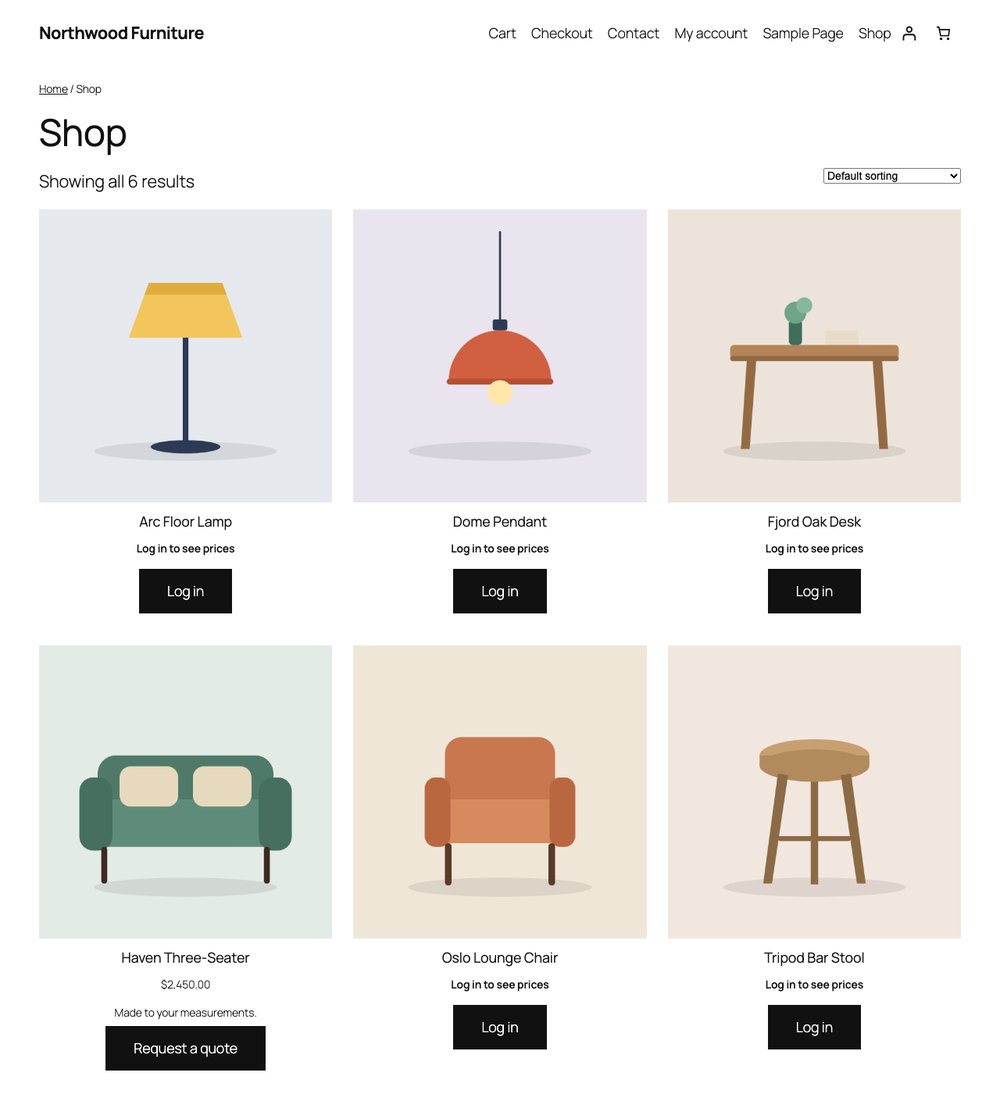
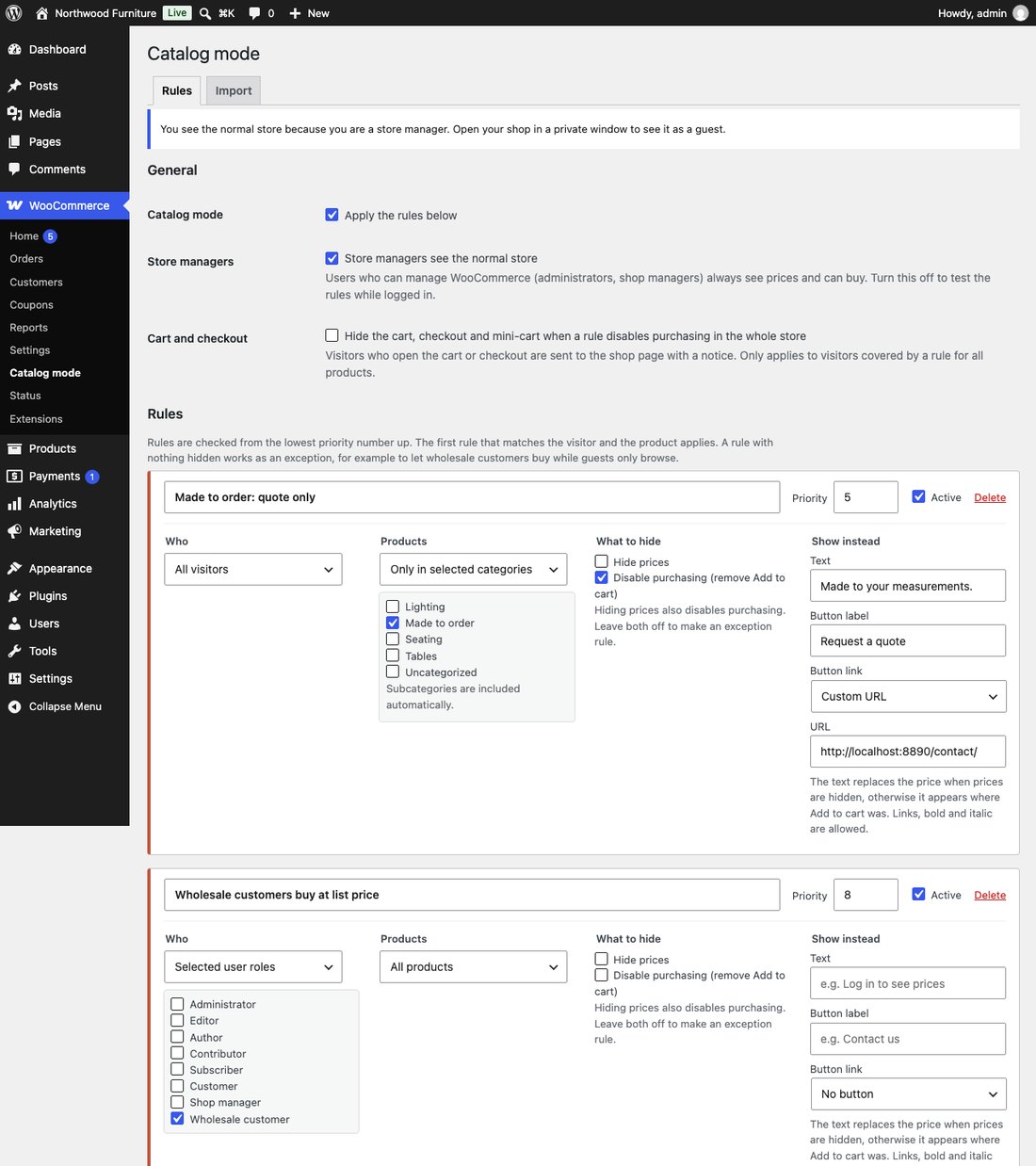
Apply catalog mode to everyone, to guests only or to selected user roles, for the whole store or only some categories. Order rules by priority and add exceptions.
On shop and product pages, related products and the WooCommerce blocks: Product Collection, Single Product, Add to Cart Form and Product Button.
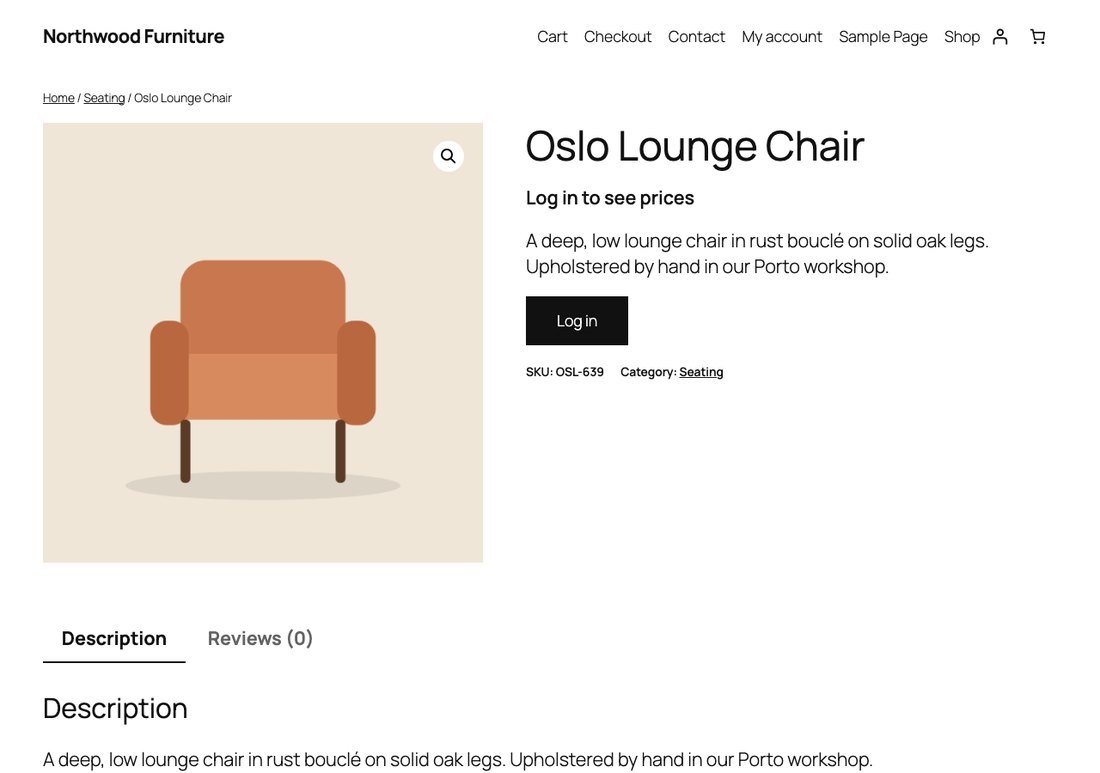
A text like “Log in to see prices” or “Call for price”, and a button to log in and come back, to My account, or to any page such as your contact form.
Hidden products can’t be bought through forms, ?add-to-cart= links, AJAX or the Store API. When the whole store is a catalog, the cart and checkout go too.
A hidden price is also removed from the Product structured data and the public Store API, so Google never sees a price your visitors can’t.
A dry run shows the rule it will add, then one click imports it. The old plugin’s settings are never changed. No tracking, no external requests.
Specific products (include or exclude), product tags, product types, stock status and a price range, on top of categories.
Show or hide prices by country. Logged-in customers are matched by billing country, guests by WooCommerce geolocation when your store has it.
A rule is active only from or until a date in your site’s time zone, for a holiday closure or a pre-launch window.
A button opens an accessible form with name, email, message and optional quantity; the product is attached for you. Entries land in an Inquiries inbox in wp-admin and in the store admin’s email. Spam checks and a consent note, no outside services.
Per rule: theme button, outline or text link, a mail or lock icon, open in a new tab. Override the text and button on any single product.
The shop, or the whole site, asks guests to log in and brings them back, with an allowlist of pages and optional approved roles. The Store API, product feeds and search close to guests too.
| Feature | Free | Pro |
|---|---|---|
| Who | Everyone, guests or user roles | Also by visitor country |
| Which products | All, or include / exclude categories | Also specific products, tags, product types, stock status, price range |
| Hide prices, disable purchasing | Yes | Yes |
| Purchases blocked on the server | Forms, links, AJAX, Store API | Yes |
| Text and button instead | Text plus a Log in, My account or custom link button | Button style, icon, new tab; per-product text and button |
| Hide cart and checkout | Yes | Yes |
| Structured data without prices | Yes | Yes |
| YITH and ELEX importer | Yes | Yes |
| Scheduled rules | No | From / until a date |
| Inquiry and quote form | No | Form, admin inbox and email |
| Login-only store | No | Pages, Store API and feeds |
Pro is an add-on: it needs the free Shelfwright plugin and keeps everything the free plugin does.
Prices in USD; taxes are added at checkout where they apply. Payments are processed by Freemius, our merchant of record. 14-day money-back guarantee: see the refund policy.
A full-page cache can serve the same page to every visitor. Country and schedule rules need pages that aren’t cached for everyone, or a cache that varies by country. Clear the cache after you change rules.
Logged-in customers are matched by their billing country. Guests need WooCommerce’s geolocation: its MaxMind integration with a license key, or a CDN that sends a country header (like Cloudflare). No outside lookup services are called. Each rule decides whether visitors with an unknown country are matched.
Emails go out through your site’s own mail setup, so delivery depends on it. Every inquiry is saved in the Inquiries inbox anyway, so nothing is lost.
It protects store pages (or the whole site), the Store API and REST product endpoints, product feeds, search results and the WordPress sitemap. It doesn’t protect direct links to media files such as product images.
A page-builder widget that prints the raw price by itself can bypass price hiding. Purchasing is still blocked on the server.
Replacement texts and button labels aren’t registered with WPML or Polylang string translation yet.
Yes. The free plugin on WordPress.org works without limits: rules for guests, user roles and categories, hidden prices, disabled purchasing, a replacement text and button, cart and checkout hiding, clean structured data and the YITH and ELEX importer. Pro is a separate plugin you add on top.
Install Shelfwright, go to WooCommerce → Catalog mode → Import, read the dry run and click Import now. YITH’s settings are never changed, so you can compare before you deactivate it. The migration guide has the details.
No. Purchasing is blocked on the server, not just hidden: product forms, ?add-to-cart= links, AJAX and the Store API used by the cart and checkout blocks all reject products in catalog mode with a clear message.
Yes, with the usual care. Guest rules work with page caches, which skip logged-in users. Role rules need a cache that doesn’t serve cached pages to logged-in users, the default in most caching plugins. Pro’s country and schedule rules need pages that aren’t cached for everyone, or a cache that varies by country.
Shelfwright filters WooCommerce’s own price and Add to cart output, so it works with block themes like Twenty Twenty-Five and classic themes like Storefront, including the Product Collection and Add to Cart blocks. It needs WordPress 6.5+, WooCommerce 8.0+ and PHP 7.4+.
Into an Inquiries inbox in your WordPress admin, and by email to the store admin through your site’s normal mail setup. They are stored in your own database; no outside service is involved and Sellscope never sees them.
Pro is a yearly license for 1, 5 or unlimited sites, with updates and support for the year. It renews automatically; you can cancel anytime and keep using the version you have.
Yes. Ask within 14 days of buying Pro for a full refund. See the refund policy.
The free plugin makes no external requests and collects nothing. Pro checks its license with Freemius, our merchant of record, which sees your site address and license key.